
Changing an image’s name in Squarespace is easy as pie.
If you’ve accidentally or previously (before you caught wind of the miracle of image-name-changing) uploaded an image to your Squarespace website, you have an opportunity to rename it to something search engines will love via SEO, and be a snap to find when you want to re use that image for another page or post.
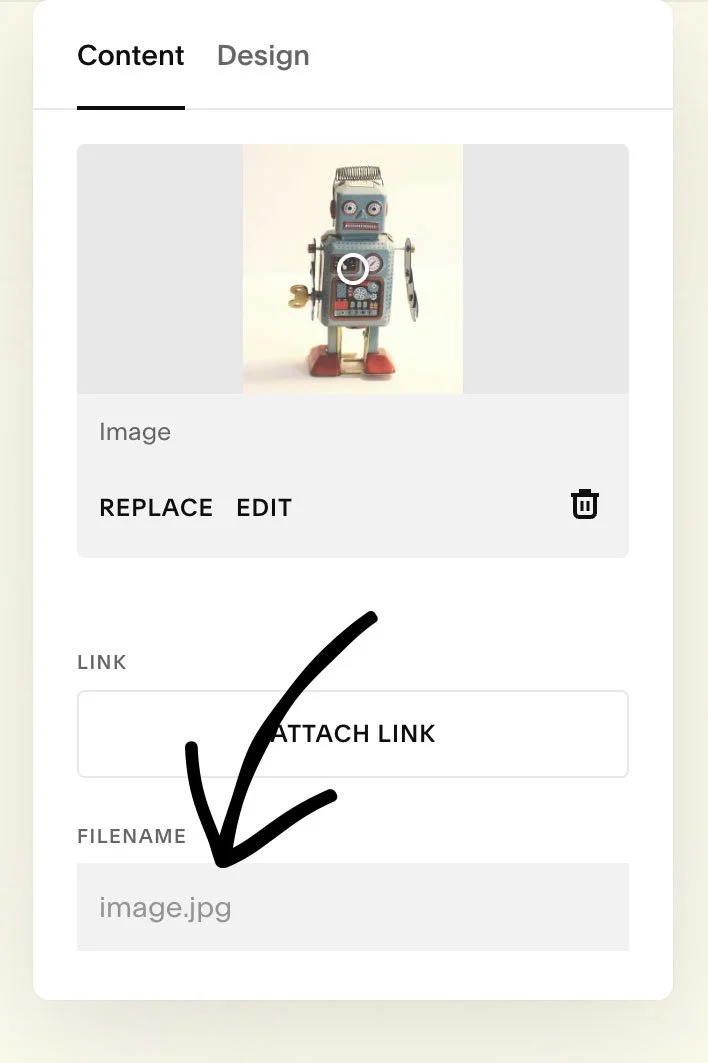
Here’s the low down:
1) Open a page or post with an image already baked in.
2) Click on the image to see its details like Content and Design. Locate the FILENAME field.
The original name of this image I previously uploaded had a sad, SEO-unfriendly name of ‘image.jpg’.
3) Overwrite that filename to a more specific name, ideally including a keyword that you’re trying to attract more traffic with, something that describes exactly what that image depicts.
By changing an image name, you’ll not only kick up the SEO value of that image for your post or page, you’ll also be offering better accessibilty for screen readers for visually impaired site visitors.
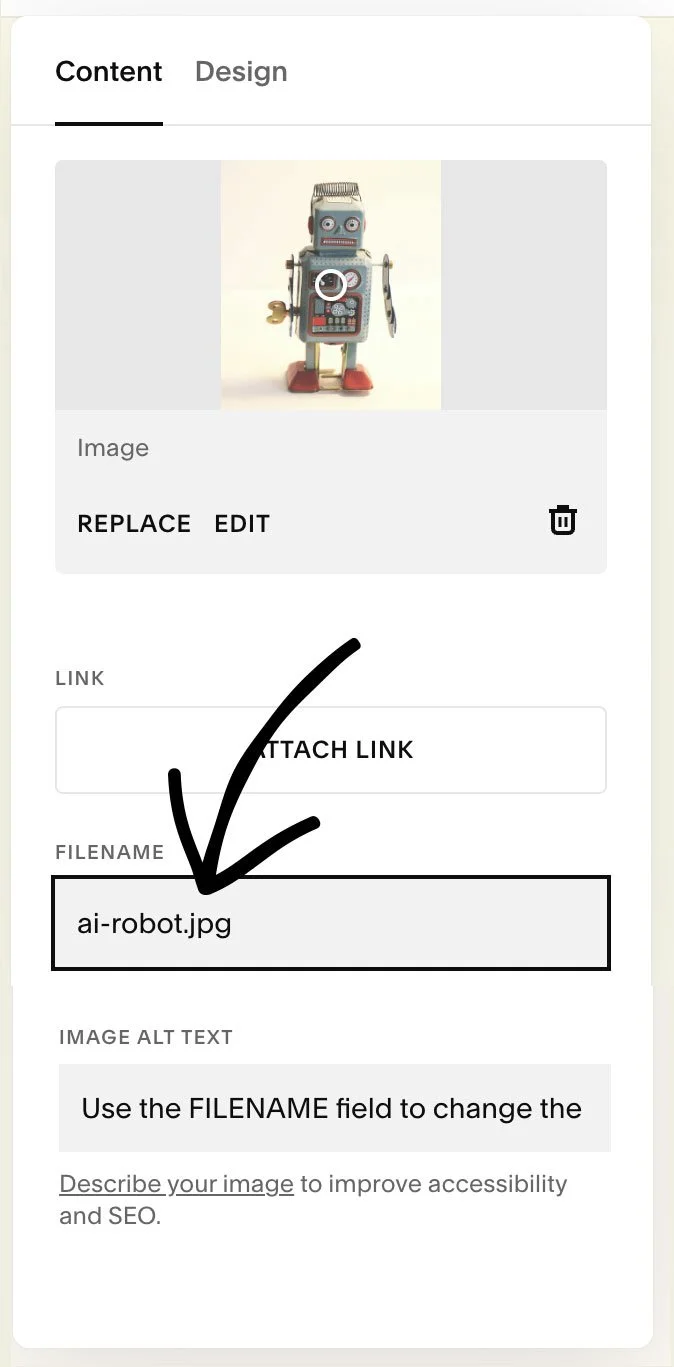
Its like a two-fer, a BOGO. Its a win-win for everyone and everything regarding your Squarespace website - or any other platform for that matter.
But wait, there’s one more win for renaming images:
Naming images appropriately also makes it a heck of a lot easier to search for them in your Squarespace asset library when you want to reuse an image that is already uploaded.
I knew I had that robot image already uploaded, and while I searched for ‘robot’, it wasn’t coming up in my asset search.
But now it will, thanks to Squarespace making my web designer life easier with this simple image renaming option.
Image Alt Text
One more field to always utilize: the Image Alt Text field. Along with SEO, screen readers will also read this text to the visually impaired. Make it a normal sentence that you would actually say out loud.
No need to begin with “Photo of:…'“ or similar - screen readers already inform the visitor that its an image.
Have a large-ish website with many images that probably need renaming? Set aside 30 minutes a week to start going through and renaming the images seen in your most important pages and posts. Your SEO and website traffic should start to improve for the keywords you’re trying to rank for.
More easy DIY things you can do to improve SEO on your Squarespace website
Looking for other easy tips to improve your Squarespace website SEO? Check out my article on 5 SEO Quick Wins for your Squarespace Website.
Happy filenaming!